
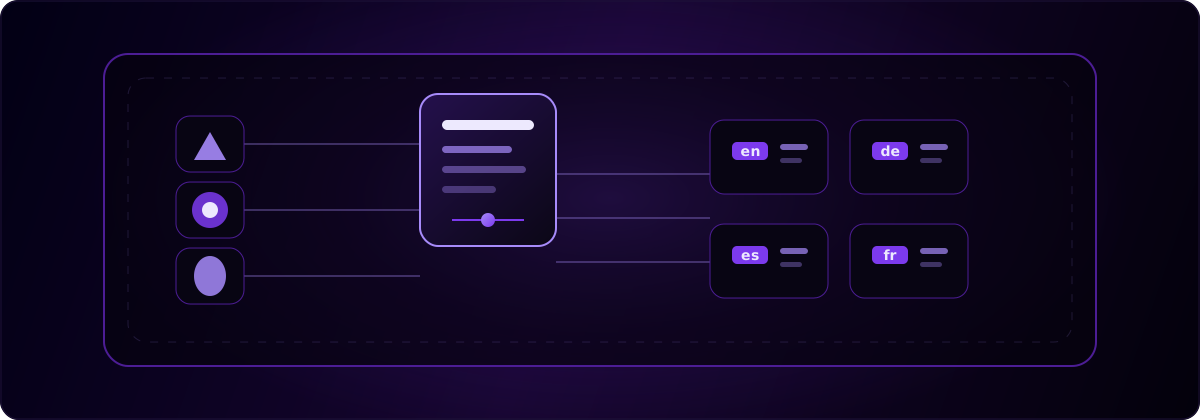
Localizing an app used to mean adding an SDK, wiring a provider, and managing keys by hand. With AI coding agents there is a shorter path: install a skill, and the agent does the wiring. globalize.now is AI-powered localization infrastructure that ships as an open agent skill. You run one command, your agent reads the playbook, and your codebase gets a translation-ready structure without you maintaining new plumbing.
What is an agent skill?
An agent skill is a small package of instructions that a coding agent reads and acts on. It is distributed through the open skills ecosystem and installed with the skills CLI, for example npx skills add owner/repo. The same command works across Claude Code, Cursor, Codex, OpenCode, and more than fifty other agents.
The skill itself is a SKILL.md file plus any supporting files, and it lands in the directory your agent already looks in. The CLI links it to a single canonical copy and records the install in a lockfile, so a skill is versioned alongside the rest of your project instead of living in a vendor account. There is even a public registry, so a skill is something you can find, read, and pin like any other dependency.
The shift worth noticing: a skill is not a product your agent integrates with. It is knowledge your agent absorbs and then applies to your code. That difference shows up the moment you onboard a teammate. They clone the repo, the skill is already there, and their agent handles your localization the same way yours does.
Why ship i18n as a skill instead of an SDK?
Because the hard part of internationalization is the refactor, and a skill teaches your agent to do it for you. An SDK assumes your code is already structured for translation. You still have to find the hardcoded strings, design a key scheme, create locale files, and connect the runtime library.
AI-built apps make that worse, because coding agents optimize for a working screen, not for translation architecture. The output is usually correct and shippable and full of strings like <button>Submit order</button> instead of a keyed call. Multiply that across a project and the localization work is a refactor, not a config change.
Left alone it compounds. The same label gets written three slightly different ways, counts render as 1 messages, and the first time you add a language you find screens that are half English and half not. A skill is built to catch all of that in one pass, before it becomes a hundred small tickets.
A skill encodes that refactor as instructions your agent can run. It detects your framework, confirms the i18n runtime you already use such as next-intl or i18next, extracts the English strings, and generates keys and locale files. You are not importing a new runtime to version and maintain. The skill does the setup and then gets out of the way.
How is a skill different from an MCP server?
An MCP server is a service your agent calls, a skill is just files in your project. The Model Context Protocol is a good way to give agents live tools and data through a running server. But a server is something you or a vendor has to host, and your agent depends on it being reachable.
A skill has no service behind it. It is text and code that ships in your repository, works without a network call, and shows up in a pull request like any other change. For one-time setup work such as internationalizing a codebase, files beat a service you have to keep alive. You read what the skill will do, you run it, and you review the diff.
Skills also stack. You can install several and they sit side by side, because each one is only instructions, not another process to run and pay for.
How does globalize.now install as an agent skill?
One command, and your agent takes it from there.
npx skills add globalize-now/globalize-skills --allThe --all flag installs every skill for every agent on your machine, which is the safe default if you are not sure which agent you are using. The CLI drops the globalize.now skill where your agent looks for skills. It works with the agent you already use, including Claude Code and Cursor.
From there you ask your agent to set up i18n, and it follows the playbook: detect the framework, confirm the runtime library, find the user-facing English strings, and generate keys and locale files. The before and after is the part developers recognize.
// before
<button>Submit order</button>

// after
<button>{t("checkout.submit_order")}</button>
The keys land in locale files the skill creates and maintains for you:
/locales
  en.json
  de.json
  es.json
  fr.json
Your English file is filled in from the strings the agent found. The other languages are generated and kept current on each push, so adding a market is a locale file, not a sprint.
After setup, translations sync on every Git push. You do not export anything, and there is no queue to clear. If you are vibe-coding your app, this is the whole job. If you are a developer who wants the details, the same skill runs the refactor cleanly and leaves you with standard locale files.
Do my translations stay in my repo?
Yes. The locale files the skill generates are committed to your repository like any other source file. This is the part that matters most for lock-in.
Some approaches move your translated strings into a build step or a hosted dashboard, so the day you leave, your translation layer leaves with you. With repo-native locale files, your en.json, de.json, and the rest are plain files in your project. The skill could disappear tomorrow and your app would still ship every language it already has. Leaving is just not installing the skill again, with nothing to migrate out, because nothing of yours was ever somewhere else. That is why globalize.now sits in the infrastructure layer of your stack, generating the keys and locale files, rather than wrapping itself around your app.
Does the skill model lock you into a vendor?
No, and avoiding lock-in is the reason to prefer it. The skill is installed from an open registry that any supported agent can read, not a closed plugin store. The output is standard locale files for the runtime library you already chose, not a proprietary format you would have to unwind later.
You can read exactly what the skill does before you run it, because it is just files. If you want the full walkthrough rather than the argument, the how to localize an AI-generated app guide covers the same setup end to end.
globalize.now turns hardcoded app copy into translation-ready locale files and keeps them updated as you ship.
Try globalize.now free