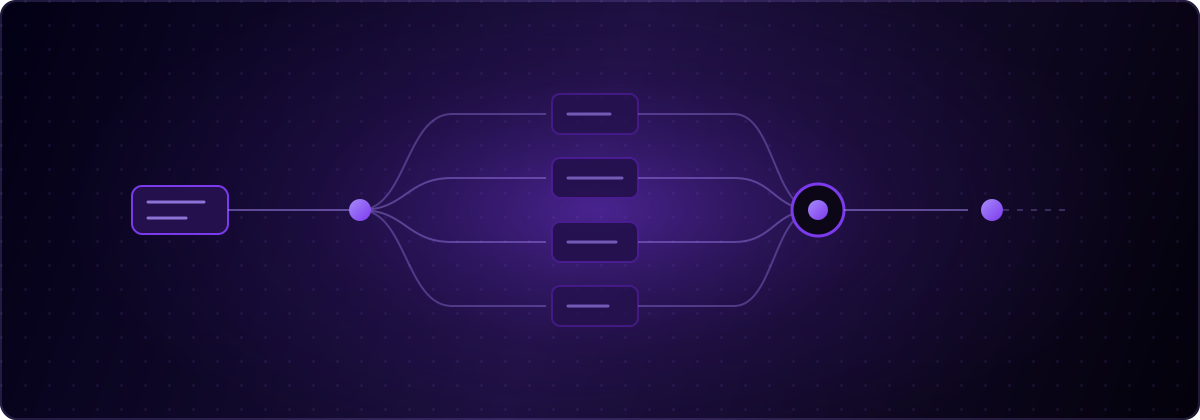
La localisation par IA, c'est l'utilisation de l'IA pour piloter tout le workflow de localisation: extraire les chaînes codées en dur d'une base de code, générer les clés de traduction et les fichiers de locale, traduire avec du contexte, et garder chaque langue à jour à mesure que le produit évolue. globalize.now est une infrastructure de localisation propulsée par l'IA construite sur cette définition, conçue pour fonctionner à l'intérieur des agents de codage que les développeurs utilisent déjà. Ce guide couvre ce que ce terme signifie réellement, en quoi il diffère de la traduction automatique, et ce qui a changé maintenant que les agents de codage peuvent faire le travail.
Qu'est-ce que la localisation par IA ?
La localisation par IA, c'est de l'automatisation de workflow, pas un simple bouton de traduction plus intelligent. La traduction elle-même n'a jamais été la partie difficile du lancement d'une application multilingue. La partie difficile, c'était tout ce qui l'entoure: trouver chaque chaîne destinée aux utilisateurs, structurer les clés, gérer un fichier par langue, briefer les traducteurs sur le contexte, et tout recommencer à chaque évolution du produit.
Côté demande, rien n'a changé: l'étude de CSA Research menée auprès de 8 709 consommateurs dans 29 pays montre que 76 % préfèrent acheter avec des informations dans leur propre langue, et que 40 % n'achèteront tout simplement pas dans une autre langue. Ce qui a changé, c'est le coût. L'industrie de la langue au sens large pèse environ 72,6 milliards de dollars par an et stagne quasiment, selon l'estimation 2026 du secteur par Nimdzi, tandis que le travail lui-même migre vers le logiciel. La localisation par IA, c'est le nom de cette migration.
En quoi la localisation par IA diffère-t-elle de la traduction automatique ?
La traduction automatique produit du texte en langue cible à partir du texte source. C'est une seule étape, et des moteurs comme DeepL ou un LLM la gèrent très bien. La localisation par IA, c'est tout le pipeline autour de cette étape: détection des chaînes traduisibles dans le code, génération des clés et des fichiers de locale, assemblage du contexte (sur quel écran apparaît cette chaîne, quel ton utilise cette marque), traduction, gestion du pluriel, et synchronisation avec le dépôt.
Cette distinction compte au moment d'évaluer des outils. Un moteur de traduction automatique doté d'une belle API vous laisse quand même gérer l'extraction et les fichiers à la main. Un rappel du glossaire de la localisation couvre les termes de base, mais en résumé: la traduction est un composant, la localisation est le système.
À quoi ressemblait la localisation par IA dans les outils traditionnels ?
Les plateformes de localisation historiques ont ajouté l'IA comme fonctionnalité dans un flux de travail inchangé. Lokalise, Crowdin et Smartling proposent aujourd'hui des suggestions de traduction par IA, mais le processus qui les entoure suppose toujours un tableau de bord, une file de relecture et un responsable localisation pour répartir le travail entre les deux. La tarification suit la même logique: par siège, par langue, par palier de workflow.
Ce modèle convient aux entreprises dotées d'équipes de localisation. Il ne convient pas à une startup de deux personnes dont l'équipe de localisation se résume à un agent codeur et un vendredi après-midi. Le rapport de marché 2026 de Slator estime les solutions d'IA linguistique à environ 30 milliards de dollars, en croissance, et cette croissance se concentre précisément là où les anciennes hypothèses de workflow ne tiennent plus.
Qu'est-ce qui change quand un agent codeur gère la localisation ?
Le workflow se déplace vers le dépôt et l'agent, et le tableau de bord n'est plus le centre du jeu. Dans une configuration agent-native, une compétence apprend à votre agent codeur (Claude Code, Cursor, Codex ou Lovable) à internationaliser votre base de code: il détecte les chaînes codées en dur, branche la bibliothèque i18n et génère les fichiers de traduction. À partir de là, chaque push Git déclenche la traduction, et les langues mises à jour arrivent sous forme de pull request, que vous relisez comme n'importe quelle autre modification de code.
Rien de nouveau à connecter. Pas d'étape d'export, pas d'étape d'import, pas de copier-coller de chaînes dans un éditeur web. La configuration développeur tient en une seule commande, et les non-développeurs qui construisent avec des outils IA bénéficient de la même boucle via leur app builder. La relecture se fait là où les ingénieurs relisent déjà tout: le diff.
Comment configurer la localisation par IA avec un agent codeur ?
La boucle complète prend quelques minutes sur une application classique:
- Connectez le dépôt sur globalize.now. La conversion s'exécute une seule fois, dans l'application. Vous préférez rester dans votre éditeur ? Installez plutôt les compétences:
npx skills add globalize-now/globalize-skills - Demandez à votre agent de configurer l'i18n. Il inspecte le dépôt, présente un plan et attend votre validation avant de toucher au code.
- Connectez le dépôt à globalize.now pour que chaque push déclenche la traduction.
- Poussez. Les chaînes nouvelles ou modifiées reviennent traduites sous forme de pull request.
- Fusionnez. Votre application est livrée dans toutes les langues configurées.
L'étape 2 est celle où la localisation par IA mérite son nom: l'agent prend en charge le travail d'internationalisation qui représentait autrefois une semaine de refactoring manuel, et l'infrastructure gère tout le reste.
La qualité de traduction est-elle suffisante pour la production ?
Pour les chaînes d'interface et les textes produit, oui, à condition que le système fournisse du contexte au modèle. En pratique, la qualité repose sur quatre éléments: un glossaire qui verrouille les noms de produit et les termes techniques, un guide de style qui fixe le registre (le classique Sie formel contre Du informel en allemand en est l'exemple type), une gestion correcte des règles de pluriel ICU selon la langue, et un contexte au niveau de la chaîne sur l'endroit où le texte apparaît. La traduction automatique générique échoue sur le registre et la terminologie, pas sur la grammaire.
Le rôle qui reste aux humains est celui du jugement sur les surfaces à fort enjeu. La différence concrète avec l'ancien monde, c'est que la relecture humaine consiste désormais à lire un diff de vraies chaînes dans une pull request, et non à traiter une file dans un outil séparé.
Que faut-il rechercher dans un outil de localisation par IA ?
Cinq critères distinguent une infrastructure agent-native des fonctionnalités IA greffées sur d'anciens workflows. Fonctionne-t-il à l'intérieur de l'agent codeur que vous utilisez déjà ? Gère-t-il la mise en place de l'internationalisation, pas seulement la traduction de fichiers existants ? La synchronisation se fait-elle automatiquement à chaque push, avec des changements livrés sous forme de pull requests ? Pouvez-vous contrôler la qualité via des glossaires et des guides de style ? Et la tarification est-elle un usage transparent plutôt que des frais par siège et par langue ?
Si un outil échoue sur les trois premiers points, vous continuerez à faire le travail de coordination vous-même. Or ce travail de coordination était tout le problème.
globalize.now s'occupe de tout cela. Configurez-le une fois, et chaque push revient traduit.
globalize.now transforme le texte codé en dur de votre application en fichiers de traduction prêts à l'emploi et les maintient à jour au fur et à mesure de vos déploiements.
Essayer globalize.now gratuitement