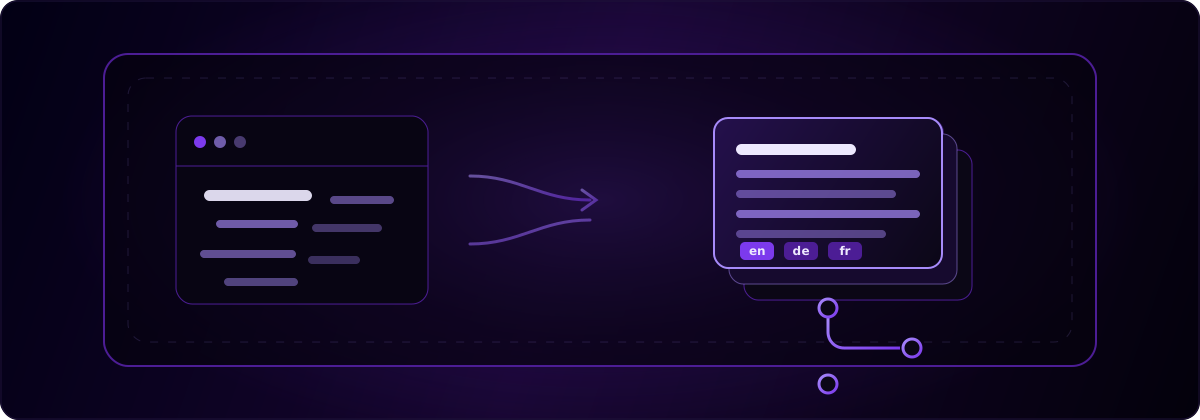
La meilleure façon de localiser une app Lovable basée sur la stack Vite classique consiste à extraire vos chaînes codées en dur dans des catalogues PO Lingui versionnés, plutôt que d’ajouter un widget de traduction runtime. Votre app Lovable est une SPA React rendue côté client : il n’y a donc aucun rendu serveur auquel se raccrocher. L’option durable consiste à conserver les fichiers de traduction dans votre propre repo et à les livrer avec votre build. globalize.now est une infrastructure de localisation propulsée par l’IA qui effectue l’extraction et synchronise les catalogues à chaque Git push. Vous la configurez une fois et n’avez plus jamais à gérer manuellement les fichiers de locale.
Sur quelle stack votre app Lovable repose-t-elle : Vite classique ou TanStack Start ?
Commencez par ouvrir votre arborescence de fichiers : Lovable propose deux stacks différentes, chacune avec sa propre configuration i18n. Si vous voyez src/pages/Index.tsx, src/main.tsx et vite.config.ts, vous utilisez la stack SPA classique Vite + React, la configuration par défaut de Lovable. Les projets TanStack Start contiennent plutôt src/routes/, src/router.tsx, src/routeTree.gen.ts et src/server.ts.
La stack est choisie lors de la création du projet et ne peut plus être modifiée ensuite : cette décision est donc déjà prise pour vous. La stack Vite classique effectue tout le rendu dans le navigateur et ne récupère aucune donnée côté serveur par défaut. Ce guide couvre cette SPA Vite classique. Si vos fichiers correspondent à la structure TanStack Start, suivez plutôt notre guide i18n TanStack Start pour Lovable, car le rendu serveur modifie la façon dont les traductions sont chargées.
Pourquoi les apps Lovable en SPA Vite sont-elles laissées de côté par les outils i18n ?
Parce que l’attention des outils s’est déplacée vers la nouvelle configuration par défaut de Lovable, TanStack Start avec SSR, laissant la SPA Vite classique moins bien servie alors qu’elle reste la stack Lovable la plus répandue. Ces derniers mois, les outils de localisation ciblant Lovable, notamment Lovalingo, Intlayer et Paraglide, ont tous réorienté leurs guides vers TanStack Start et le rendu côté serveur.
Cela crée un manque. Une SPA rendue côté client impose de vraies contraintes que les guides SSR ignorent : aucun rendu serveur pour injecter le balisage traduit, un bundle entier chargé dans le navigateur et tout script chargé tardivement qui recouvre une interface en anglais. La bonne nouvelle, c’est que la stack classique dispose d’une réponse propre et bien prise en charge, dont la plupart des équipes ne soupçonnent pas l’existence, car les outils les plus visibles se concentrent sur l’autre stack.
Quelle est la différence entre des catalogues versionnés et un widget de traduction runtime ?
Les catalogues versionnés sont des fichiers de traduction intégrés à votre repository et inclus dans le build, tandis qu’un widget runtime est un script tiers qui remplace le texte dans le navigateur après le chargement de votre interface en anglais. Cette différence détermine trois points importants pour une SPA Vite.
D’abord, le flash et le décalage de mise en page : un widget affiche l’anglais, puis le remplace, ce qui produit un changement visible et peut faire bouger la mise en page. Les catalogues versionnés affichent la bonne langue dès le premier rendu. Ensuite, l’indexabilité : les chaînes incluses dans votre build font partie de votre source, tandis que le texte injecté tardivement par un widget est plus difficile à lire pour les robots. Enfin, la maîtrise : les catalogues versionnés sont vos fichiers dans votre repo. Rien d’externe ne doit rester en ligne pour que votre app continue à parler allemand ou japonais.
Comment ajouter l’i18n à une app Lovable Vite avec Lingui ?
Ajoutez Lingui comme couche i18n, encapsulez vos chaînes et laissez son plugin Vite compiler les catalogues. Lingui est un framework i18n léger, doté d’un plugin Vite dédié et d’un format de catalogue basé sur PO — exactement ce qu’il faut à une SPA rendue côté client.
Commencez par installer les packages. Lingui sépare sa CLI, son plugin Vite et son runtime React :
npm install --save-dev @lingui/cli @lingui/vite-plugin @rolldown/plugin-babel
npm install @lingui/core @lingui/react
Ensuite, enregistrez le plugin dans vite.config.ts et ajoutez un lingui.config.ts qui pointe vers votre source et votre dossier de locales :
// vite.config.ts
import { defineConfig } from "vite";
import react from "@vitejs/plugin-react";
import { lingui } from "@lingui/vite-plugin";

export default defineConfig({
  plugins: [react(), lingui()],
});
// lingui.config.ts
import { defineConfig } from "@lingui/cli";

export default defineConfig({
  locales: ["en", "de", "fr"],
  sourceLocale: "en",
  catalogs: [
    {
      path: "src/locales/{locale}/messages",
      include: ["src"],
    },
  ],
});
Encapsulez ensuite votre texte JSX codé en dur avec la macro Trans au lieu de laisser des chaînes brutes :
// before
<h1>Create your account</h1>

// after
import { Trans } from "@lingui/react/macro";
<h1><Trans>Create your account</Trans></h1>
Lancez maintenant l’extraction. La CLI analyse votre dossier src et écrit un catalogue PO par locale, par exemple src/locales/en/messages.po :
npx lingui extract
Renseignez les champs msgstr pour chaque langue, ou confiez cette étape à une couche automatisée — voir la section suivante. Vous n’avez pas besoin d’exécuter une commande de compilation séparée, car @lingui/vite-plugin compile les catalogues PO à la volée pendant le développement et le build.
Enfin, ajoutez un sélecteur de langue en activant une locale au runtime :
import { i18n } from "@lingui/core";
i18n.activate("de");
C’est toute la boucle pour la stack Vite classique : installer, encapsuler, extraire, traduire, changer de langue. Tout, sauf les traductions elles-mêmes, vit dans votre repo.
Comment globalize.now automatise-t-il tout cela à chaque push ?
globalize.now supprime les étapes manuelles d’extraction et de remplissage en surveillant votre repo et en les exécutant pour vous à chaque Git push. Il repère les nouvelles chaînes codées en dur dans votre code Lovable, génère les clés et les entrées PO attendues par Lingui, produit les traductions, puis commit les catalogues mis à jour. Votre dossier src/locales reste ainsi toujours à jour, sans exécuter la moindre commande.
Connectez une fois votre repository à globalize.now pour lancer la surveillance. Pour le configurer directement depuis votre éditeur, installez les compétences :
npx skills add globalize-now/globalize-skills
Dans Lovable, ajoutez précisément la compétence lovable-i18n à votre espace de travail, puis demandez à Lovable de configurer l’i18n. Le runtime reste Lingui : rien ne change dans le rendu de votre app. En revanche, vous n’avez plus à surveiller les fichiers de locale. C’est le même modèle — configurer une fois, synchroniser à chaque push — sur lequel reposent notre workflow pour vibe coders et notre configuration pour développeurs.
La tarification est simple pour une personne qui développe seule : 20 € / mois par espace de travail, sans frais par siège ni par langue, auxquels s’ajoutent uniquement les traductions que vous utilisez. Les nouveaux espaces de travail reçoivent 5 € de crédit à l’inscription, sans carte bancaire — de quoi traduire une petite app de bout en bout.
Faut-il plutôt utiliser un widget runtime ? Ce que nous apprend Lovalingo
Pas si vous voulez que vos traductions survivent à un fournisseur donné. Un widget de traduction runtime est pratique au départ, mais il rend votre app dépendante du maintien en ligne du serveur de quelqu’un d’autre — et cette dépendance constitue un vrai point de défaillance.
Lovalingo, un widget runtime populaire auprès des équipes qui utilisent Lovable, a annoncé sa fermeture le 31 août 2026. Les nouvelles inscriptions sont déjà fermées et aucun successeur n’a été annoncé. Son propre guide de migration recommande aux utilisateurs de passer à une internationalisation détenue par le projet — précisément l’approche des catalogues versionnés présentée dans ce guide. Lorsque le fournisseur d’un widget ferme, les traductions injectées s’arrêtent et l’interface revient à l’anglais. Les fichiers de votre repo, eux, ne disparaissent pas. Si vous utilisez déjà un widget, notre guide de migration après la fermeture de Lovalingo détaille le changement, et le problème plus général des traductions qui cassent à chaque push explique pourquoi les catalogues versionnés sont le meilleur choix pour les apps générées par l’IA.
globalize.now transforme le texte codé en dur de votre application en fichiers de traduction prêts à l'emploi et les maintient à jour au fur et à mesure de vos déploiements.
Essayer globalize.now gratuitement