
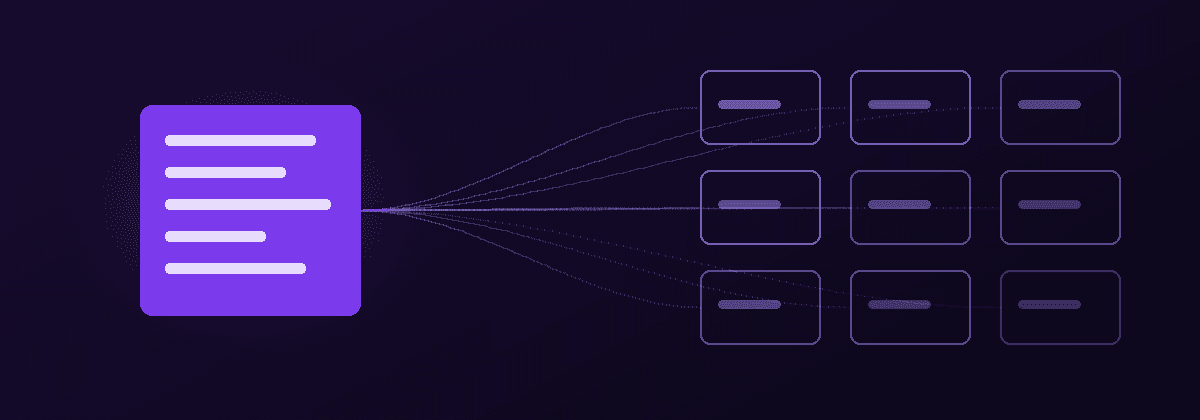
You add it from GitHub: open Settings, then Skills, then Add, then Import from GitHub, and point Lovable at the globalize-now/lovable-i18n repository. Lovable downloads it, validates it, and publishes it to the workspace, where every project can use it. globalize.now is AI-powered localization infrastructure: it produces the keys and locale files, and the runtime library in your app serves them. The skill is how that arrives without leaving the Lovable editor, and the reason there is no dashboard in the path at all.
What is a Lovable skill, exactly?
A skill is a short, named playbook you store once at the workspace level. It has three parts: a permanent lowercase name, a description that tells Lovable when to load it, and markdown instructions Lovable follows when it applies.
The important property is that skills load on demand. Workspace knowledge is different — that is always in context, which is where coding standards and brand rules belong. A skill only enters the conversation when the request matches its description, so a workspace can hold many focused skills without any of them taxing unrelated work.
You can invoke one deliberately by typing / in the chat input and picking it, or let Lovable apply it automatically when your prompt matches. Think of the skill as the how and your prompt as the what.
They are also portable. Lovable uses the same SKILL.md shape as Anthropic's Agent Skills convention, which is why a skill written for one tool imports into the other without translation. That is not a small detail for localization: it means the same instructions that scaffold i18n inside Lovable can travel to a repository you later open in Claude Code or Cursor.
Why does a Lovable app ship in English only?
Because the generated code has no locale layer to ship anything else. When you prompt Lovable for a pricing page, it writes the heading directly into the component as a literal in the language you prompted in. Every button, empty state, toast and validation message lands the same way.
Asking the agent to "translate the app" later produces a half-result: the screens it happened to inspect get swapped, and the next feature you build arrives in English again. We documented that recurrence in detail in why Lovable translations drift, and the mechanism has not changed — the agent solves the prompt in front of it, not the architecture behind it.
The fix is structural and one-time: give the strings keys, put the translations in files, make the runtime read from the files. A skill is a good carrier for that work precisely because it is a fixed playbook rather than a prompt you have to phrase correctly twice.
What does the lovable-i18n skill install?
Lingui v6, with PO catalogs at src/locales/[locale]/messages.po, Trans macros for extraction, a language switcher component, and a GitHub Action. It detects which stack your project uses and scaffolds accordingly — Vite SPA or TanStack Start, both of which Lovable generates.
That stack detection matters more than it sounds. Lovable's default generated stack moved to TanStack Start with server rendering, and the correct i18n wiring differs between a client-rendered SPA and a server-rendered app. We covered the server-rendered case separately in the TanStack Start guide; the skill picks the right path so you do not have to know which one you got.
What it does not install is a runtime dependency on us. The catalogs are files in your repository. If you removed globalize.now tomorrow, a Lingui app with committed PO files keeps rendering every language it already has.
How do you import the skill?
Four steps, once per workspace.
- Connect the Lovable project to GitHub. Use the
+menu in the chat input, choose GitHub, then Connect project. The catalogs need a real repository to live in. - Import the skill. Settings, then Skills, then Add, then Import from GitHub, pointed at
https://github.com/globalize-now/lovable-i18n. TheSKILL.mdis at the repository root, which is the layout Lovable expects when you give it a whole-repository URL. A subdirectory inside a larger skills repository works too, using atreeorblobURL. - Add the globalize MCP. Open Connectors, choose Custom MCP, and add
https://api.globalize.now/mcp. The skill walks you through the sign-in step when it gets there. - Prompt Lovable. Ask it to use the
lovable-i18nskill and the globalize MCP to set up i18n and translate the app.
Two constraints worth knowing before you start. Creating, editing, deleting and importing custom workspace skills is restricted to workspace owners and admins — editors can see and invoke every skill but cannot add one. And adding a skill from Settings does not consume credits; the message that later uses it is priced like any other build message.
The full step-by-step with the exact URLs lives on the Lovable integration page.
Which MCP is this, and which one is it not?
This is the confusing part, and getting it backwards wastes an afternoon.
Lovable exposes two MCP surfaces pointing in opposite directions. The Lovable MCP server at mcp.lovable.dev lets an outside agent — ChatGPT, Claude, Cursor, VS Code — create and edit your Lovable projects from somewhere else. Chat connectors, added under Connectors as a custom MCP, are the reverse: they let the Lovable agent reach out to an external tool while you build.
The globalize MCP is the second kind. You are giving the Lovable agent the ability to create your localization project, translate the catalogs and connect the repository, without you opening a second product to do it. Lovable's own documentation draws this distinction explicitly, which is a good sign it trips people up regularly.
The practical consequence: if you find yourself pasting a URL into Claude or Cursor to make this work, you are on the wrong surface. Everything here happens inside the Lovable editor.
What happens after the first setup?
The skill scaffolds, and the diff syncs to GitHub. Review it like any other change — Lingui config, the PO catalogs, the component edits wrapping strings in Trans macros, the language switcher — then merge to your default branch.
After that, conversion is done. It is one-time and in-app: you connected the repository, and globalize.now converted the codebase once to produce the catalog. From there, push jobs translate new catalog units and deliver them as a pull request you merge. You keep prompting Lovable normally; new strings land in the catalog rather than accumulating as untranslated literals.
There is no export step, no import step, and no screen where someone approves strings one at a time. If you want the longer argument for why that matters, it is in localizing a Lovable app without a dashboard.
Why a skill rather than a translation widget?
Because a widget and a catalog produce different artefacts, and only one of them is yours.
A runtime widget — the Weglot model — injects JavaScript that rewrites text in the browser after the page has loaded. You get a flash of English, layout that shifts as strings change length, and a single English page in the index with translation happening client-side where a crawler does not reliably see it. It works on any site, which is its real selling point, and it is a reasonable choice for a marketing page you do not control the code of.
A committed catalog is the opposite trade. It requires code access, which you have, and in exchange the translated markup renders from your own repository with one indexable page per language. Lovalingo built on the runtime model for Lovable specifically and shut down on 31 August 2026; if you are moving off it, the migration guide covers exporting what you had. That closure is also the clearest argument for the file-based shape: PO catalogs in your Git history do not depend on a company still existing.
If you want the end-to-end version aimed at the outcome rather than the mechanism, start with making a Lovable app multilingual. If you want to know what it costs before you begin, the pricing page has the current plans.
Add it once
The import is a one-time workspace action, and it is free. After that, i18n is something you ask for in the chat input like any other feature, and the translations arrive as files you own.
globalize.now turns hardcoded app copy into translation-ready locale files and keeps them updated as you ship.
Try globalize.now free