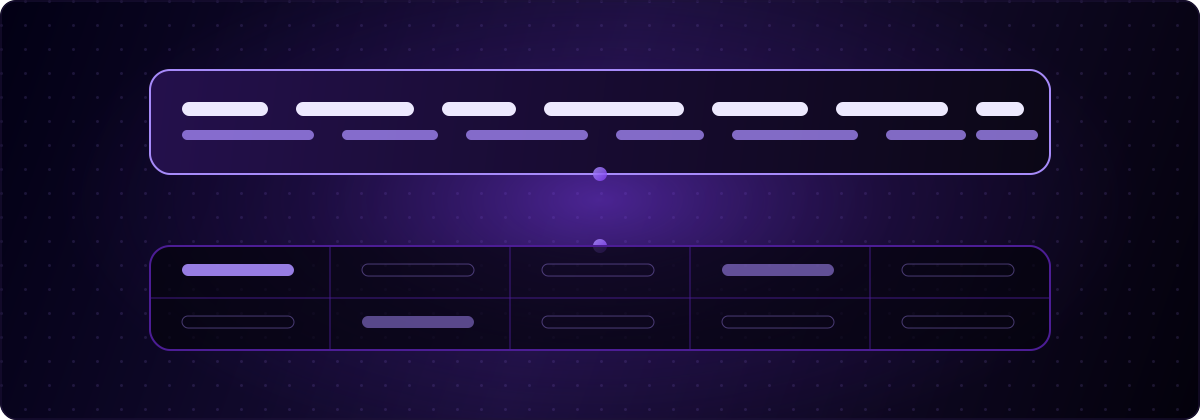
Tus botones, la navegación y los estados vacíos están en alemán. Los nombres, categorías y descripciones de tus productos siguen en inglés. Eso no es un bug de tu configuración de i18n, es el límite de esa configuración. globalize.now es infraestructura de localización impulsada por IA: extrae las cadenas codificadas de tu codebase, genera las claves y los catálogos de traducción, y los sincroniza en cada push a Git. Lee código, no filas, y el contenido por el que vienen tus usuarios vive en filas.
Arreglar esto es una decisión de esquema, no de herramientas. Aquí está la versión que aguanta.
¿Por qué la interfaz de mi app de Lovable está traducida pero el contenido de la base de datos sigue en inglés?
Porque un extractor de cadenas solo puede ver lo que está escrito en tus archivos de origen.
Cuando localizas una app de Lovable, un scanner recorre tus componentes y extrae cada literal que encuentra: "Add to cart", "No results", "Sign in". Eso se convierte en identificadores de mensaje dentro de un catálogo, y el catálogo se traduce y se sube al repositorio. Ese pipeline es determinista y cubre la interfaz por completo.
No puede cubrir una fila. products.name = 'Trail Runner' nunca estuvo en un archivo .tsx. Llegó a través de un formulario, un seed script o una importación, y vive en Postgres: el backend integrado de Lovable Cloud, que corre sobre Supabase, o un proyecto de Supabase que hayas conectado tú mismo. Ningún scanner de código lo leerá jamás, y por muchas veces que vuelvas a ejecutar la extracción, eso no cambiará.
Así que acabas con una carcasa traducida alrededor de contenido en inglés. La navegación dice Warenkorb, y el producto que hay dentro dice Trail Runner, lightweight trail shoe for wet conditions. Los usuarios lo notan de inmediato, y se lee peor que una app sin traducir, porque parece abandonada a medio camino.
¿Qué cuenta como contenido de base de datos en una app de Lovable?
Cualquier cosa que un usuario o un admin pueda cambiar sin un deploy. En la práctica, en un build típico de Lovable, eso es:
- Nombres y descripciones de productos, planes o listados
- Etiquetas de categoría, tag y estado renderizadas desde una tabla de referencia
- Copy de marketing almacenada en una tabla
pagesosections - Plantillas de correo y de notificaciones
- Valores tipo enum que muestras directamente, como
status = 'pending_review' - Contenido generado por el usuario, que normalmente se deja a propósito en su idioma original
El último punto importa. No traduzcas por defecto el contenido generado por el usuario. Una reseña escrita en español debería quedarse en español. El conjunto que realmente localizas es el contenido que tú autoras y lanzas.
Todo lo demás, el chrome alrededor de ese contenido, se queda en tus catálogos. Los dos conjuntos nunca deberían solaparse. Si una etiqueta aparece tanto en una tabla de referencia como en una cadena codificada, elige un único sitio para ella y elimina el otro, o acabarás lanzando dos palabras alemanas distintas para el mismo concepto.
¿Cómo se almacenan las traducciones del contenido de base de datos en Supabase?
Usa una tabla de traducción separada, indexada por el id de la fila y una columna de locale.
create table product_translations (
  product_id  uuid not null references products(id) on delete cascade,
  locale      text not null,
  name        text not null,
  description text,
  primary key (product_id, locale)
);

create index product_translations_locale_idx on product_translations (locale);
Añadir japonés ahora es un insert, no una migración. Las políticas de row-level security se aplican a una sola tabla en lugar de a un conjunto creciente de columnas, y una traducción que falta es simplemente una fila que falta, algo fácil de consultar y fácil de monitorizar con alertas.
La alternativa es una columna JSONB por campo traducible:
alter table products
  add column name_i18n jsonb not null default '{}'::jsonb;

-- { "en": "Trail Runner", "de": "Trail Runner", "fr": "Coureur de sentier" }
Esto es más rápido de prototipar y funciona bien para contenido pequeño y en su mayoría estático. Te cuesta restricciones por idioma, hace incómodo auditar traducciones parciales, y se vuelve caro de indexar en cuanto empiezas a filtrar u ordenar por el valor localizado.
El tercer patrón, una columna por idioma (name_en, name_de, name_fr), es el que hay que evitar. Cada idioma nuevo es una migración de esquema en cada tabla, y en un proyecto de Lovable eso significa pedirle al agente que altere repetidamente tablas de producción. Si quieres el patrón explicado con más detalle, la extensión pública de Postgres pg_i18n implementa el enfoque de tabla de traducción como vistas con fallback incorporado, y merece la pena leerla antes de comprometerte con una estructura.
¿Qué patrón deberías elegir?
Tabla de traducción, salvo que el contenido sea diminuto y esté congelado.
Elige JSONB solo cuando tengas menos de un puñado de campos traducibles, no necesites filtrar ni ordenar por ellos, y no tengas previsto que nadie más que tú los edite. Todo lo demás, cualquier cosa con una UI de administración, cualquier cosa a la que vayas a añadir idiomas, cualquier cosa con más de unos pocos cientos de filas, quiere la tabla.
¿Cómo consultas el idioma correcto en el momento del renderizado?
Con un fallback explícito, en la base de datos, para que la app nunca tenga que pensar en ello.
create or replace function products_for_locale(p_locale text)
returns table (id uuid, slug text, name text, description text)
language sql stable as $$
  select
    p.id,
    p.slug,
    coalesce(t.name, base.name)               as name,
    coalesce(t.description, base.description)  as description
  from products p
  left join product_translations base
    on base.product_id = p.id and base.locale = 'en'
  left join product_translations t
    on t.product_id = p.id and t.locale = p_locale;
$$;
Entonces el punto de llamada solo lleva un locale y nada más:
const { data: products } = await supabase
  .rpc('products_for_locale', { p_locale: locale });
Dos reglas hacen que esto sobreviva al contacto con datos reales. Primero, coalesce al idioma de origen, nunca a una cadena vacía: un catálogo a medio traducir debería mostrar inglés, no tarjetas en blanco. Segundo, el locale que pasas tiene que ser el mismo valor que usa tu segmento de ruta y el mismo valor por el que se indexan tus catálogos de UI. Una sola lista de locales, tres consumidores: el router, los catálogos, la base de datos.
Ese último punto es donde la mayoría de los proyectos de Lovable se desvían. El router conoce de, los catálogos se construyeron para de-DE, y la base de datos tiene filas etiquetadas como german. Elige el conjunto exacto de etiquetas BCP 47 que usan tus rutas de locale y haz que todo lo demás se ajuste a él. Si aún no has configurado esas rutas, las guías por stack lo cubren para los dos stacks que genera Lovable: el build SPA con Vite y el SSR por defecto con TanStack Start.
¿Por qué no dejar simplemente que un widget en runtime traduzca el texto de la base de datos?
Porque funciona sobre la página renderizada, no sobre tus datos, y esa diferencia se nota en tres sitios.
Un widget de traducción en JavaScript lee cualquier texto que llegue al DOM y lo sustituye después del hecho. Eso sí que capta las filas de la base de datos: es lo único que hacen los widgets que los catálogos no hacen, y por eso al principio parecen una solución completa.
Los costes son estructurales. Las filas traducidas existen solo en la sesión del navegador, así que los motores de búsqueda que rastrean la página ven tu idioma de origen; el propio centro de ayuda de Weglot indica que su integración en JavaScript no aporta beneficios de SEO, porque esas traducciones se renderizan en el cliente. Las correcciones viven en el dashboard del proveedor en lugar de en tu base de datos, así que el valor real de un campo queda repartido entre dos sistemas. Y el cambio ocurre después del pintado, por eso las apps traducidas construidas así muestran un destello en inglés en cada navegación.
Nada de esto es motivo para descartar el enfoque de plano en una herramienta interna. Sí es motivo para no construir sobre él un producto público, indexable y multilingüe.
¿Cómo se mantienen sincronizadas las dos capas?
Compartiendo una sola lista de locales y un solo disparador.
La capa de código es automática. Añade el Skill lovable-i18n en tu workspace de Lovable y pídele a Lovable que configure i18n, o instálalo localmente con:
npx skills add globalize-now/globalize-skills
A partir de ahí, la extracción se ejecuta y se abre una pull request de traducción en cada push: sin paso por el dashboard, sin pase manual por los archivos de traducción. Es el mismo loop descrito en por qué las traducciones de Lovable se rompen en cada push.
La capa de datos es tuya, y necesita un enganche deliberado: cada vez que añades un locale, la misma lista que gobierna tus rutas y catálogos debería disparar un backfill hacia tu tabla de traducción. En un proyecto de Lovable, la versión práctica es una función seed que le pides al agente que escriba una sola vez, que lee la lista de locales e inserta las filas que faltan a partir de los valores del idioma de origen. Las filas que faltan se rellenan entonces, no se inventan, y coalesce cubre el hueco mientras tanto.
Aquí tampoco te va a complicar la vida el precio. El plan Starter cuesta 20 € al mes por workspace e incluye 20 € de crédito de traducción al mes (unas 200.000 palabras), con el consumo adicional facturado a la tarifa publicada por carácter. No hay cargos por asiento ni por idioma, así que añadir el quinto idioma cuesta lo que cuestan los caracteres y nada más. El registro incluye 5 € de crédito de traducción y no pide tarjeta. Más sobre cómo encaja esto en un stack construido por un agente en las páginas para vibe coders y desarrolladores.
¿Qué se rompe cuando un proveedor de localización echa el cierre?
Lo que estaba guardado en sus servidores. Nada de lo que estaba guardado en los tuyos.
Esto no es hipotético este mes. Lovalingo, la capa de traducción en tiempo de ejecución que adoptaron muchos desarrolladores de Lovable, cierra el 31 de agosto de 2026 a las 23:59 CEST, confirmado en su propia página de cierre de servicio, con los proyectos y suscripciones nuevas ya detenidos y exportaciones de conservación en preparación para los clientes activos. Lo interesante es su propia recomendación: le dice a los clientes que implementen internacionalización propia del proyecto en paralelo, y que retiren el servicio solo después de que el reemplazo pase las pruebas de producción en un entorno real.
Ese es todo el argumento en una frase, y viene del proveedor cuya salida lo demuestra. Un catálogo confirmado y una tabla de product_translations son cosas que te pertenecen; no tienen un estado de servicio. Una capa de runtime gestionada es una dependencia que renderiza el texto de tu producto, y las dependencias se acaban.
Si estás migrando fuera de un widget ahora mismo, empieza por la capa de datos. Las cadenas de la interfaz se vuelven a extraer de tu código en minutos. Las traducciones de la base de datos, si solo existieron dentro del panel de un proveedor, no van a volver. Nuestra comparativa con Lovalingo explica qué comprobar antes de retirar nada.
La capa de código es la parte que no deberías gestionar a mano. globalize.now extrae tus cadenas, genera los catálogos y abre un pull request de traducción en cada push, así que puedes diseñar la capa de datos una vez y olvidarte de ella.
globalize.now convierte el texto codificado de tu app en archivos de traducción listos para localizar y los mantiene actualizados en cada despliegue.
Prueba globalize.now gratis